来源:力扣 (LeetCode)
链接:https://leetcode-cn.com/problems/word-frequency
著作权归领扣网络所有。商业转载请联系官方授权,非商业转载请注明出处。
一、题目描述
写一个 bash 脚本以统计一个文本文件 words.txt 中每个单词出现的频率。
为了简单起见,你可以假设:
- words.txt 只包括小写字母和 ' ' 。
- 每个单词只由小写字母组成。
- 单词间由一个或多个空格字符分隔。
示例:
假设 words.txt 内容如下:
|
1 2 |
the day is sunny the the the sunny is is |
你的脚本应当输出 (以词频降序排列):
|
1 2 3 4 |
the 4 is 3 sunny 2 day 1 |
说明:
- 不要担心词频相同的单词的排序问题,每个单词出现的频率都是唯一的。
- 你可以使用一行 Unix pipes 实现吗?
二、题解
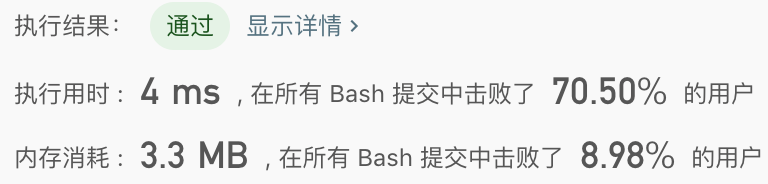
2.1 使用 awk
通过 NF 变量遍历所有字段,存到一个哈希表 (数组) 中,然后打印出所有的 key-value 组合,最后通过 sort 排序。
|
1 |
awk '{for (i = 1; i <= NF; i++) {m[$i]++;}} END {for (i in m) {print i, m[i]}}' words.txt | sort -nr -k 2 |
![[leetcode-shell]192-统计词频](https://www.dyxmq.cn/wp-content/uploads/2020/02/b3b4a-image6c552cb516ad2b7c.png)
2.2 使用 xargs
通过 xargs 的-n 参数打印出所有的字段,然后使用 uniq 和 sort 对字段排序:
|
1 |
cat file.txt | xargs -n 1 | sort | uniq -c | sort -nr -k 2 | awk '{print $2" "$1}' |
uniq 的
-c参数是统计词频

![[leetcode]198-打家劫舍](https://www.dyxmq.cn/wp-content/themes/begin/prune.php?src=https://www.dyxmq.cn/wp-content/uploads/2020/02/b1e35-image.png&w=280&h=210&a=&zc=1)
![【每日打卡】[leetcode+剑指offer] 169-多数元素](https://www.dyxmq.cn/wp-content/themes/begin/prune.php?src=https://www.dyxmq.cn/wp-content/uploads/2020/03/d3450-image.png&w=280&h=210&a=&zc=1)
![[leetcode]125-验证回文串](https://www.dyxmq.cn/wp-content/themes/begin/prune.php?src=https://www.dyxmq.cn/wp-content/uploads/2020/03/5bfa5-image.png&w=280&h=210&a=&zc=1)
![[leetcode]199-二叉树的右视图](https://www.dyxmq.cn/wp-content/themes/begin/prune.php?src=https://www.dyxmq.cn/wp-content/uploads/2020/04/f24a8-image.png&w=280&h=210&a=&zc=1)
![【每日打卡】[leetcode]72-编辑距离](https://www.dyxmq.cn/wp-content/themes/begin/prune.php?src=https://www.dyxmq.cn/wp-content/uploads/2020/04/88c60-imageff84a6c5047db6ed.png&w=280&h=210&a=&zc=1)
![【每日打卡】[leetcode]460-LFU缓存](https://www.dyxmq.cn/wp-content/themes/begin/prune.php?src=https://www.dyxmq.cn/wp-content/uploads/2020/04/5b3f2-image.png&w=280&h=210&a=&zc=1)
评论